Environment loading
In order to avoid load time when switching from one environment map to another, the [multi-env-loader] abstraction has been created.
It can be found in the skybox module inside the stage, and
its purpose is to pre-load all available environments when a project is opened.
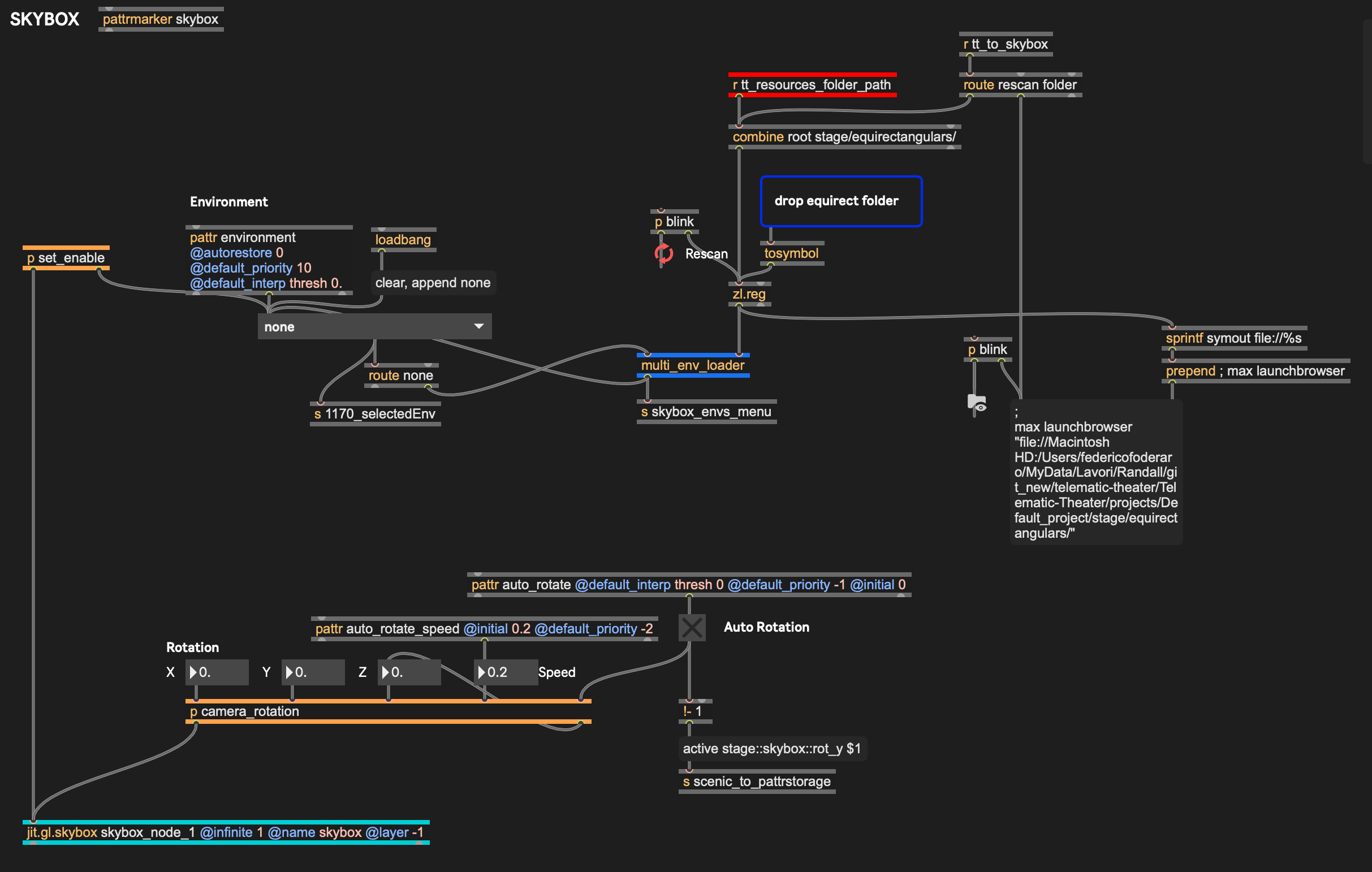
How it Works
Section titled “How it Works”The abstraction is composed of some Max objects, but relies mostly on Javascript code for its inner workings.
The script creates a new jit.gl.environment object for each image and stores the generated textures in the RAM / VRAM. The environments can then be recalled without waiting for the loading process to happen each time a new image is chosen.
There is a limit to the amount of images that can be loaded, and when it is exceeded Max will crash. To prevent this there is a limit to the amount of images that can be loaded, set at 30gb of memory. This can be modified to accommodate different machines capabilities.
The loading process happens automatically behind the curtains when a Visual Stage project loads, given that the render is on and the Stage is enabled in the project settings / Setup layout.
For the environments to work correctly, each environment is loaded and then activated once. This is done to prevent any slow down when an environment is recalled later.
The main hurdle is the loading time.
When loading a folder of equirectangular maps, we need to load them one by one, and make sure that the current one has been entirely loaded and activated before switching to the next one.
This is done for two reason:
- we want to make sure to get the correct amount of RAM usage by Max after each image is fully loaded in order to avoid going above the set threshold and potentially having Max crashing.
- avoid any slow down when the environment gets activated for the first time during the show.
The problem is, jit.gl.environment doesn’t provide a way to know when a file has been properly loaded (a feature request has been forwarded to C74), so a guess has to be made.
The most straightforward way of making sure a file is properly loaded, is to enforce a 2 seconds wait on the process. We know most files will have enough time to load in 2 seconds.
Therefore, if you need to load 20 equirectangular maps, it will take 40 seconds, no matter what.
Currently the only way to lower this loading time is to diminish the waiting time, but this poses the risk of missing one of the two points listed above. Also, the smaller the images are in size (memory-wise), the faster they load and the safest it gets to decrease that waiting time.