OIT - Order Independent Transparency
In the Visual Stage app we have four performers and platforms that are not always opaque, but can have different values of transparency to blend with the background or between themselves.
In order to achieve this we use the graphic pipeline blending capabilities.
There is an intrinsic problem to blending 3D objects though: the blending result is dependent on the order in which the 3D objects are drawn in the Frame-Buffer.
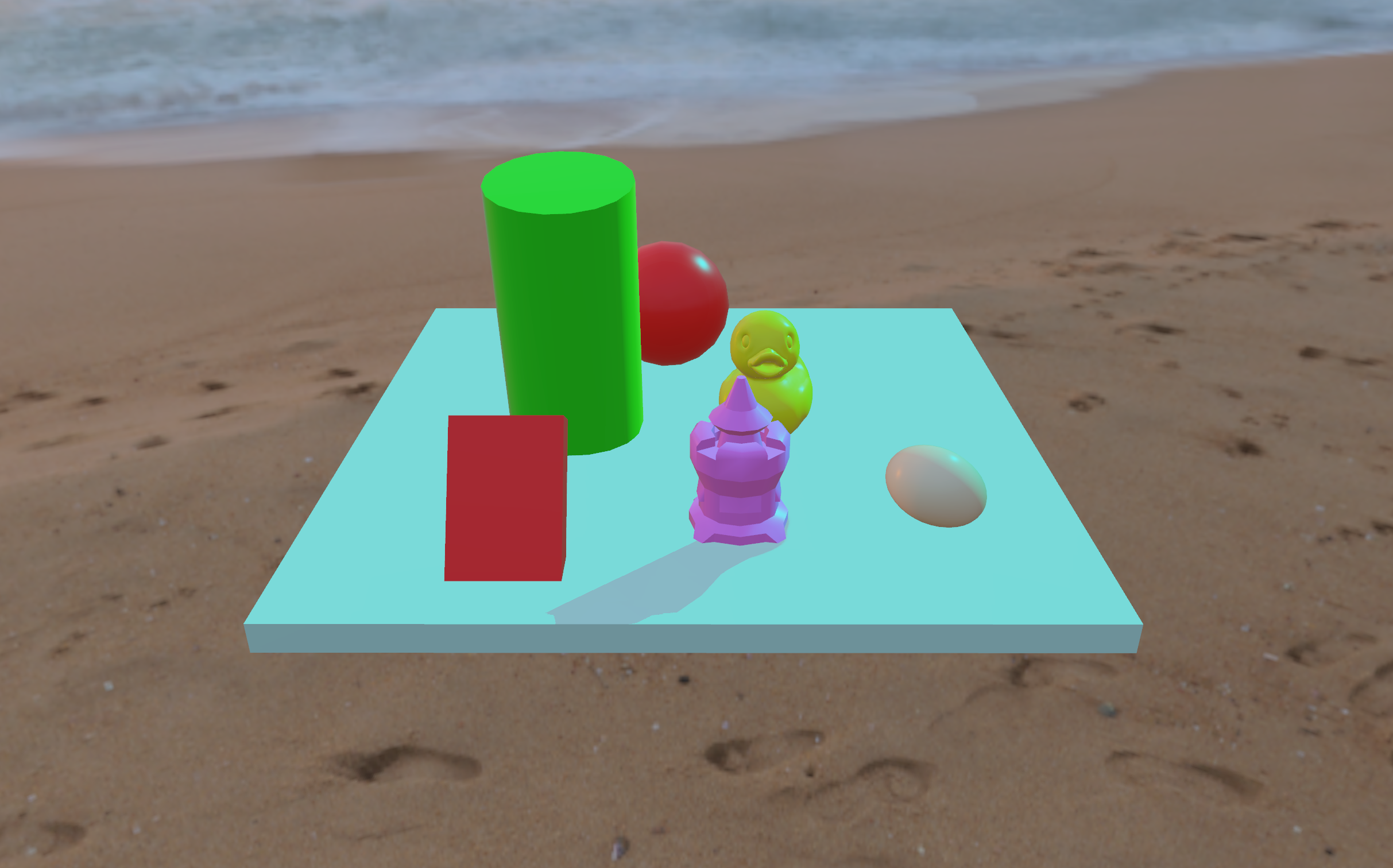
By default the order in which the objects are drawn is chosen randomly, or based on the order in which they are instantiated in the Patcher.
To have a final scene in which the objects are drawn correctly (with the ones closer to the camera drawn on top of objects farther), each pixel of a 3D shape is associated with a depth value. This value is the distance of the 3D object from the Virtual Camera at that screen-coordinate, and it is stored in the Depth-Buffer.
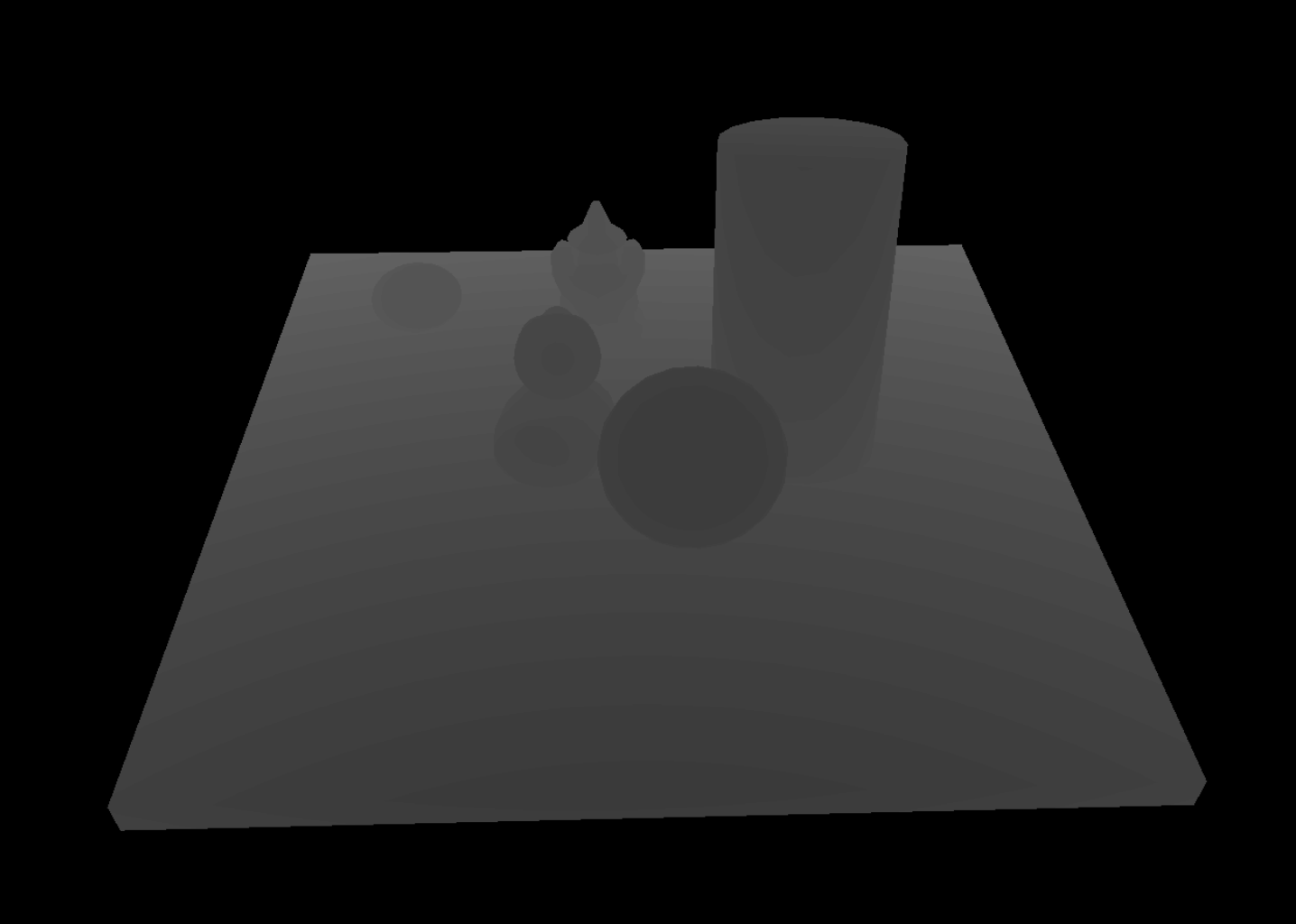
When a pixel is in the queue to be drawn into the Frame-Buffer, its depth-value is compared with the depth-value already present in the Depth-Buffer. If the value of the current pixel is lower than the value in the Depth-Buffer, than the value of the current pixel replaces the one already stored.
In this way the pixels with the lowest depth-value end up being drawn, while the pixels that have a higher depth-value (so are covered by others) are discarded.
This method for filling the Frame-Buffer with the pixels that have the lowest depth-value doesn’t allow for proper transparency rendering.
That’s because for transparency to look correct opaque objects should be drawn first, and transparent objects should be drawn later. In this way the color of transparent objects can be mixed with the color already present on the Frame-Buffer and result in proper transparency.
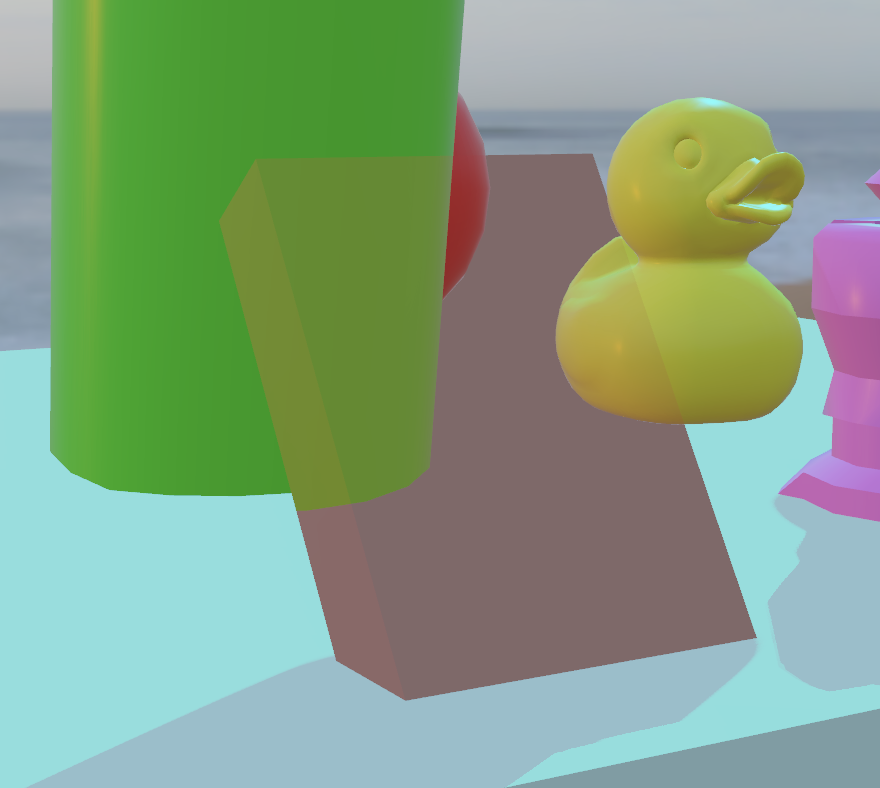
Look at the image above. The inclined flattened red cube has the alpha component of its color set to a value smaller than 1, so it should be transparent. The flattened cube lets us correctly see the green cylinder and the yellow duck behind, but doesn’t show the light-blue floor, the red sphere or the background.
That’s because, by chance, the order in which the cylinder, the duck and the flattened cube are rendered is correct for the transparency to work, but the floor, the red sphere and the background are not rendered in the correct sequence.
This clearly cannot be left to chance.
The solution to achieve correct blending and transparency, is to render all non-transparent (opaque) objects first into the Frame-Buffer, irrespectively of their distance from the Camera. Then the transparent objects must be drawn on top of the opaque ones, so that their color can be properly mixed with the color of the opaque objects already drawn.
In Max/MSP we can choose the rendering order with the “layer” attribute. The lower the layer, the earlier the object is going to be drawn into the Frame-Buffer (so behind other objects with an higher layer). This only works if we disable the discard by depth algorithm for each object involved. We do this by setting the @depth_enable attribute to 0.
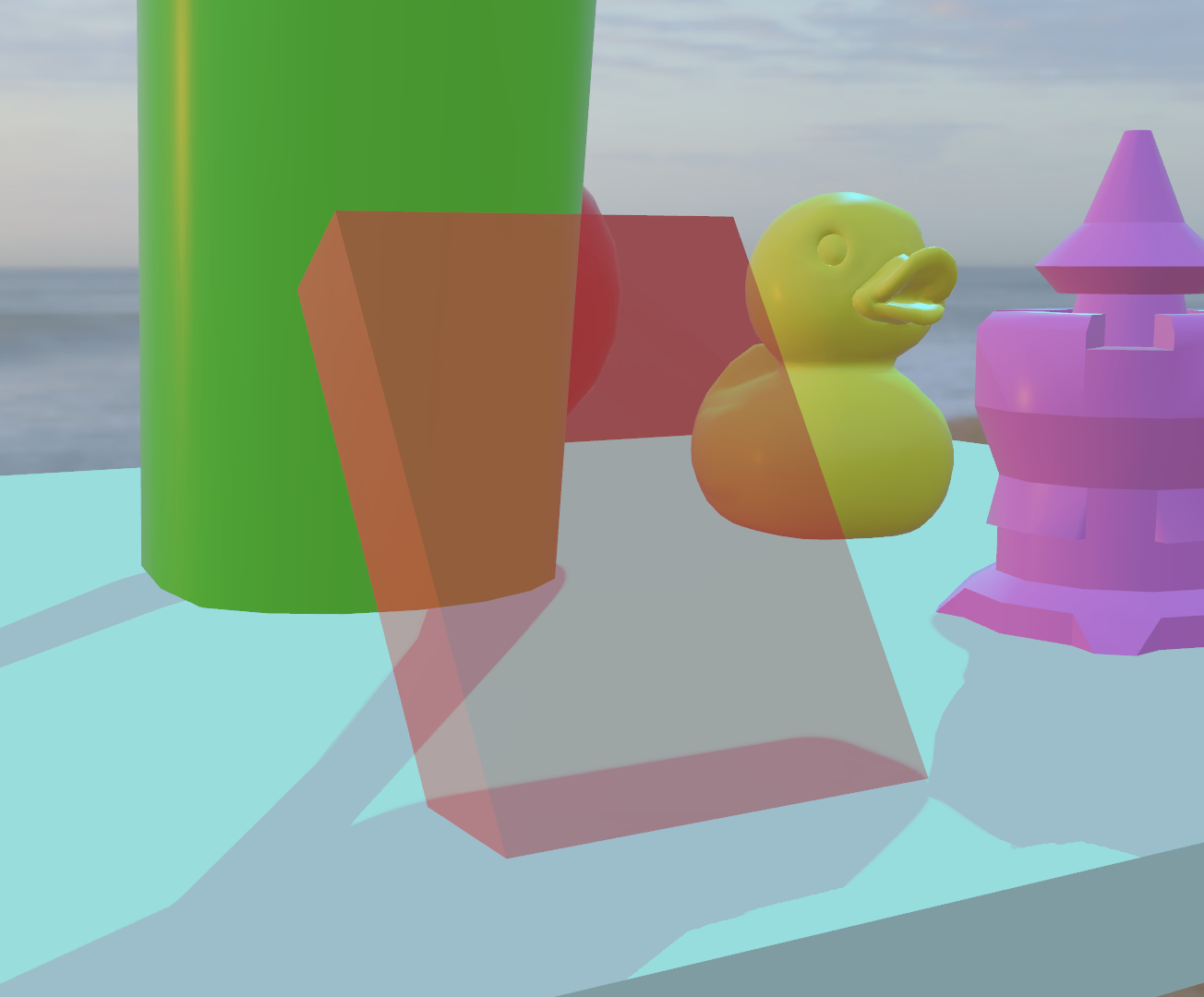
<TO COMPLETE …>
To solve this problem in the TT, a custom shader was implemented to manually sort the pixels of the relevant 3d objects based on their depth map.
This approach was working well, but was not scalable, since adding a new 3d object to the sort required to grab its depth map and modify the shader in a non-trivial way, making it exponentially more complex with each new object.
This has all been solved in Max 9 with the advent of integrated OIT in the jit.world object. Now, in fact, one just needs to turn on the transparency attribute of jit.world to include automatically all the 3d objects with an alpha value lower than 1 in a depth sorting algorithm performed behind the scenes. This also improved the performance (framerate) of the Visual Stage app, since the integrated approach is much slimmer and easier to scale.