Torrent
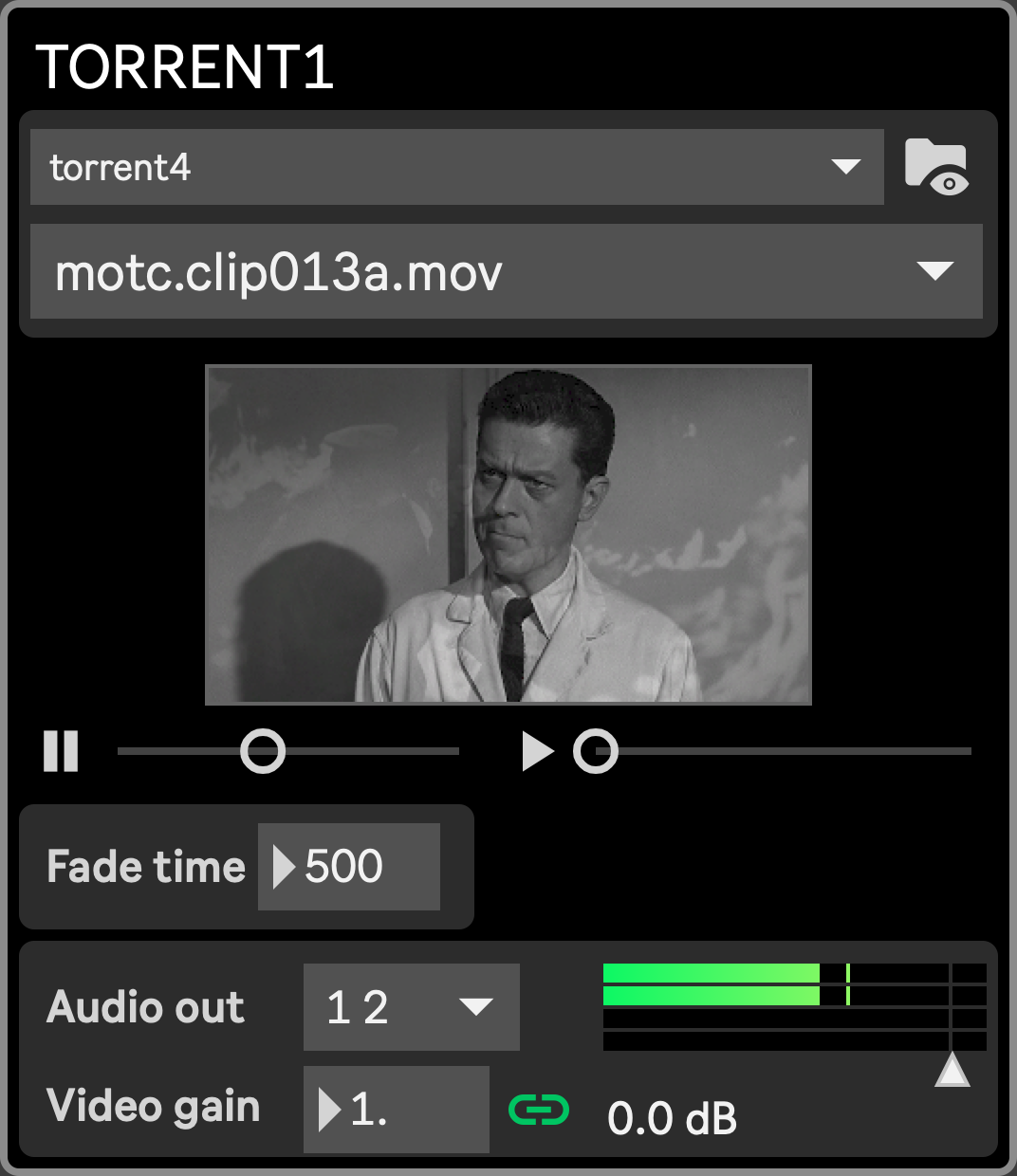
The Torrent module, of which six instances are available, aims at producing a continuous feed of videos crossfading between each other. After selecting a folder, the module starts playing a video randomly selected in that folder (or one of its subfolders). When that video is about to reach its end, a second video starts playing in the background and the first video fades into the second (both image and sound) in the set fade time.
Available assets are shared with the Media player and can be organized freely in the <project name\>/assets/ folder.
Supported files are mov, mp4, mpeg, encoded with usual codecs (ProRes 422/4444, h264, h265, jpeg, HAP and others handheld by ffmpeg), although the preferred one is HAP.
- media_folder (Folder selection menu): select from which folder the Torrent will pick videos. If the selected folder contains subfolders, files within these subfolders will be listed as well.
- File selection menu: shows the last loaded file. You can use that menu to force loading a file in the next player, although this won’t be saved in any preset
- Reveal folder button: at any time you can press the “Reveal folder” button to open a Finder window pointing in the set folder.
- fade_time: the time it takes to fade from one movie to another (in milliseconds). If the next movie is shorter than twice the duration of the fade time, the fade time will be temporarily adjusted internally.
- audio_volume: sets the module’s audio output volume
- audio_out: output channels for that module’s audio
- fade_img_w_snd (link icon): when “Fade image with sound” is enabled, changing the audio volume will also change the image opacity, allowing to manually control both the image and audio with just one Macro control.