Tracks
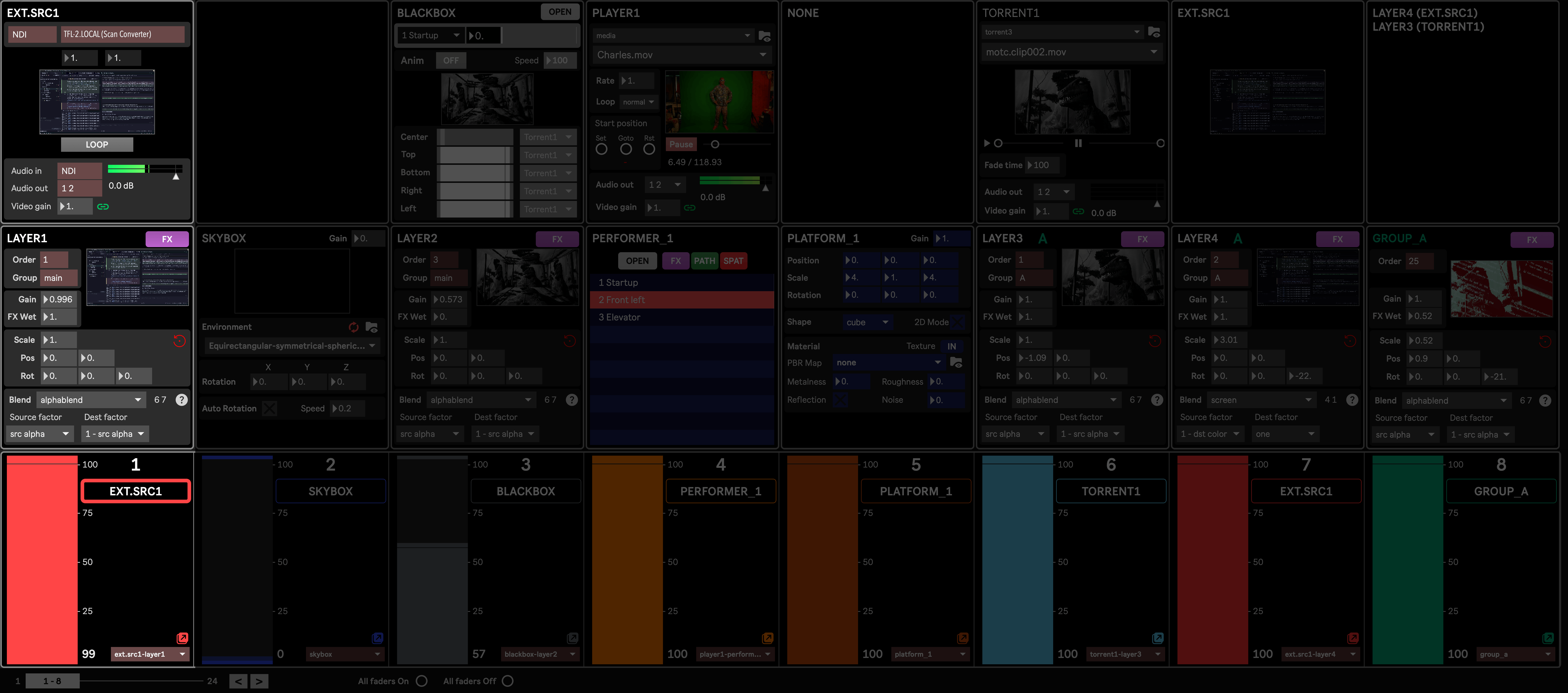
A track is the Mixer’s basic unit: a vertical column aligning a Source module, a Destination module, and the track’s own set of controls (fader, Macro assign preset) in the Mixer strip below them. Track 1 is emphasized above, showing External Source 1 (its source) routed to Layer 1 (its destination) and its own strip at the bottom of the Mixer.
Which source and/or destination module each track is aligned with is normally organized automatically by the Mixer Layout Wizard, based on the current routing set in Modules settings.
A track’s name, color and Macro assign preset can be set automatically with Auto-Config Mixer Tracks, or manually through the Tracks settings).
Only tracks 1 to 20 are handled by the Wizard and Auto-Config Mixer Tracks; tracks 21 to 24 are always left out of both, reserved for macros mapped by hand.
Track controls
Section titled “Track controls”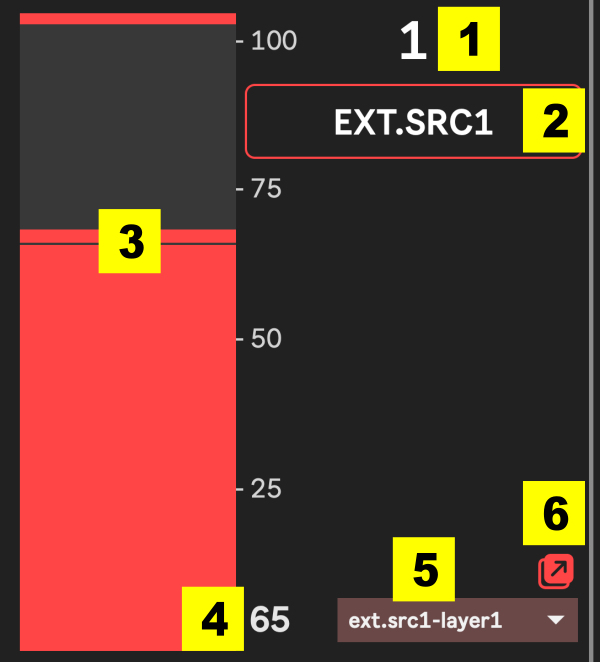
- The track number.
- Track name, also acting as a button to select this track. When a track is selected, its macros and their values are displayed in the Virtual control module, and they can be controlled through the 16 mapped MIDI knobs. When auto-generated, the name is taken from the destination, unless the destination is a Layer, in which case the name of its Source is used instead (eg. a Layer fed by Player 3 is named “PLAYER 3”).
- The fader. It is in itself a macro that can be mapped in the track’s Macro assignment window.
- The fader’s current value, shown numerically.
- Macro preset menu, defining the mapping between parameters and the track’s fader and macros. This mapping can quickly and temporarily be changed from here by selecting another preset in the menu. To change the preset more permanently, you will need to update the Setup preset.
- Opens the Macro assignment window for this track.