Interface
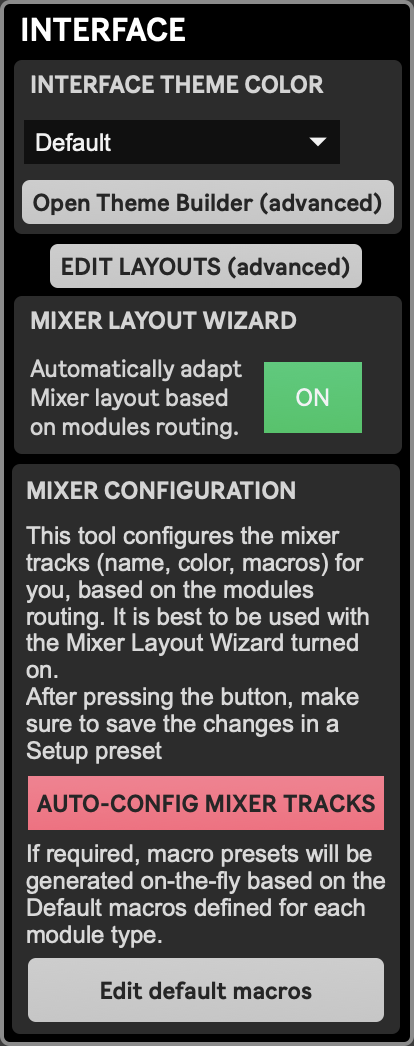
The Interface module is meant to configure what is visible on-screen whether it is cosmetic changes (color theme) or functional ones (Mixer layout content).
Interface Theme Color
Section titled “Interface Theme Color”- Theme selection menu: You can select here wich color theme to use for the interface.This setting is stored locally in the app’s settings and therefor is project-independant.
- Open Theme Builder (advanced): This button opens a standalone interface (not part of the app) to create new color themes or edit existing ones. See Theme Builder to learn how to use it.
Edit Layouts (advanced)
Section titled “Edit Layouts (advanced)”This button opens an interface allowing to create new layouts and edit existing ones. This must be used with care as it can break some of the app’s functionalities. See Managing Layouts for more info.
Mixer Layout Wizard
Section titled “Mixer Layout Wizard”This feature automatically organizes the Mixer layout by bringing source and destination modules in use and aligning them with their automatically assigned track (only tracks 1 to 20 are affected - see Track layout for exactly how tracks get populated). This should always remain enabled, unless you want to manually edit the Mixer layout to show the modules you want in the order you want.
Mixer Configuration
Section titled “Mixer Configuration”Auto-Config Mixer Tracks
Section titled “Auto-Config Mixer Tracks”Pressing this button will automatically configure Mixer tracks according to the current routing of source and destination modules set in Modules Settings. This will:
- Organize tracks to align with their source and/or destination modules as layed out by the Mixer Layout Wizard
- Set track names based on the destination module’s name (or source module’s name if the destination is null or a layer module)
- Set track color based on the colors defined in the color theme (see above)
- Set the right Macro assignment preset for each track (named
<src_name>-<dest_name>, or just one of the two if the track has only a source or only a destination), or create a new one if needed. New presets will be created following the Default macros that you can define in the Default Macros editor (see below)
Edit Default Macros (advanced)
Section titled “Edit Default Macros (advanced)”This button opens the Default Macros editor, where you can define the macro mapping that will be used for each type of module when Macro control presets will be generated automatically. See Default Macro Editor for more info.