Audio settings
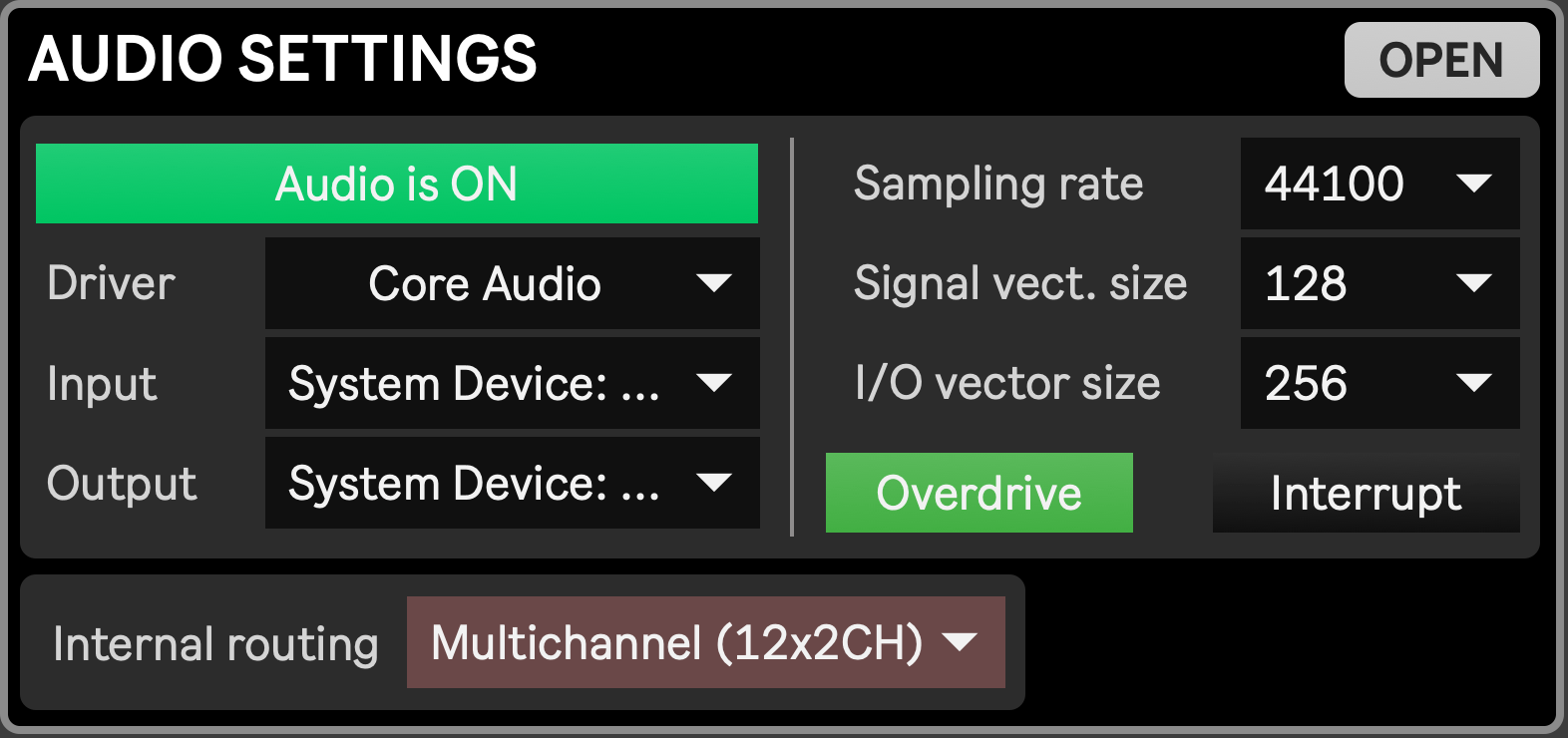
This module is meant to set various audio settings. When changed, audio settings get stored in Max’s own preferences file, except for the Internal routing parameter, which gets stored with Setup presets.
From top to bottom, left to right:
- Open button: Opens Max Preferences window on its Audio section, showing same settings as below, as well as an access to the Audio I/O Mapping window
- Audio on/off: enables/disables audio processing. If the project you work on doesn’t require audio, you can disable audio processing to save up a bit of computer resources. It is the same as enabling/disabling audio through the Dashboard module.
- Driver: select which audio driver to use
- Input: select which input device to use
- Output: select which output device to use. For multichannel audio, additional configuration might be required. For this, click the ‘open’ button to open the Max audio settings window, and click on the Audio I/O Mappings button at the bottom. See this page of the official Max documentation for more info.
- Sampling rate: Sampling rate the audio engine is working at. When working with a dedicated soundcard or with Spat Revolution, make sure to match the sampling rate between them.
- Signal vector size and I/O vector size: Advanced settings. See this page of the official Max documentation for more info.
- Overdrive: When enabled, time-critical tasks run at a higher priority, increasing timing accuracy. See this page of the official Max documentation for more info.
- Interrupt: Increases further more timing accuracy at the cost of increased CPU usage. Best kept disabled for video-intensive applications. See this page of the official Max documentation for more info.
- Internal Routing: when set to ‘Multichannel (8x2CH)’, audio will be output from a module to the selected stereo out for that module (see Media Player, Torrent and vMix) accordingly to the Output device and Audio I/O Mappings (see previous points). When set to ‘Stereo (2CH)’, all modules audio output will be sent to channels 1-2, regardless of what they’ve been set to. ‘Stereo (2CH)’ is typically used when working on a multichannel performance while being on a device with only a stereo output, as it allows to correctly set and save the desired output (1-2, 3-4, 5-6 or 7-8) for modules with audio while being able to hear them all through the main stereo out (1-2) of the selected output device.