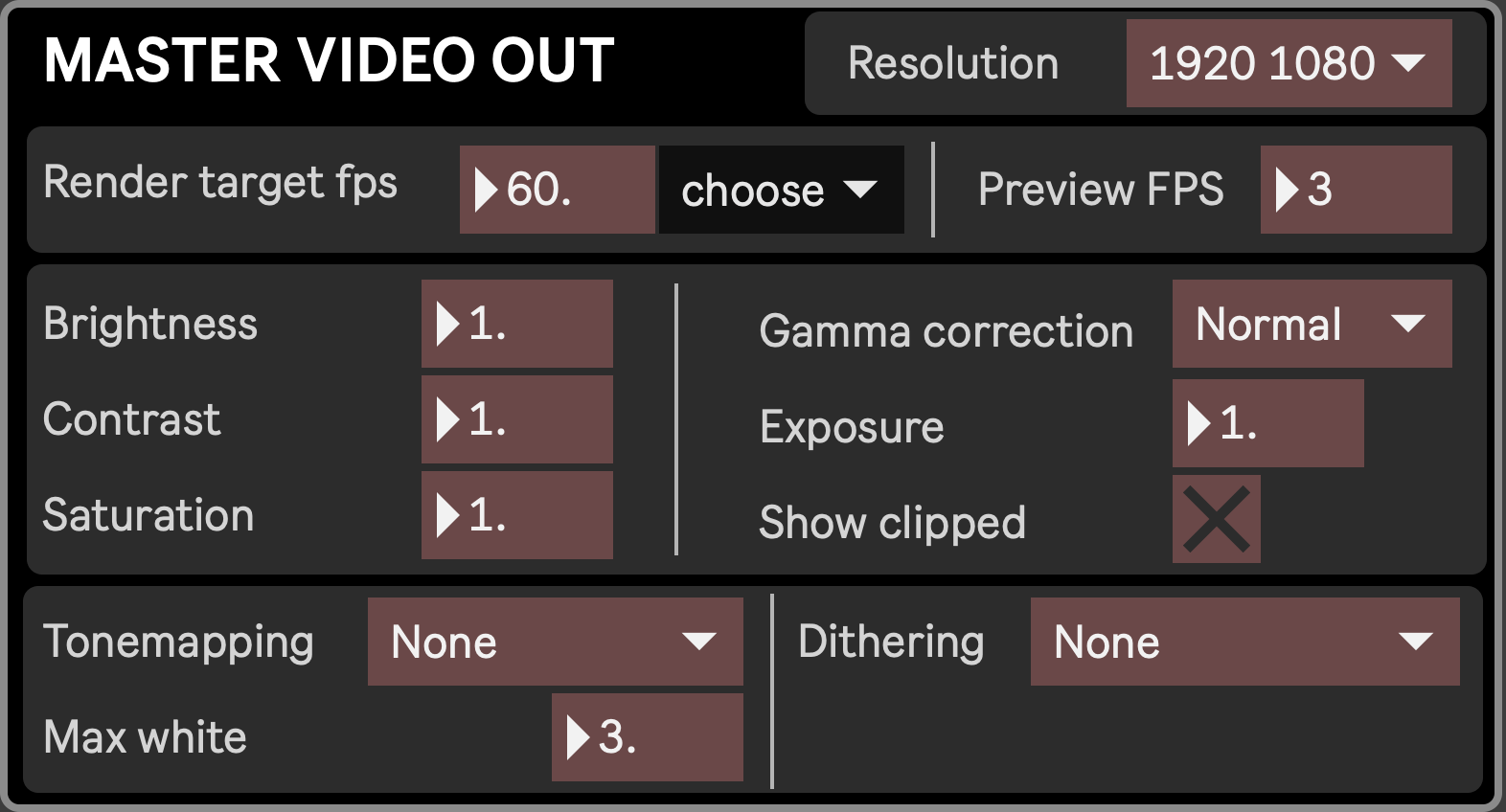
Resolution: resolution of the final output. This is independant from the size of the rendering window.
FPS settings:
Render Target FPS: the number of frames per second to generate. The desired value won’t necessarily be reached, as it depends on the capabilities of your computer and your project.
Preview FPS: the number of frames per second to display for the previews visible in some modules. Smaller values give better performance but more stuttered previews. The gain/cost in performance increases with the number of visible previews in the Mixer layout
Color settings: simple Brightness, Contrast and Saturation settings applied to the final output prior to gamma correction and tone mapping.
Gamma correction: the kind of gamma correction to apply. Normal is faster (and default) but gives slightly less accurate results.
Exposure: boost the luminosity (similar to Brightness)
Show clipped: when enabled, overexposed areas are shown in red
Tonemapping: select one of the available algorithms to map one set of colors to another to approximate the appearance of high-dynamic-range images in a medium that has a more limited dynamic range. Each choice gives its own mood to the final output.
Max white: set maximum white amount.
Dithering: apply a form of noise used to randomize quantization error, preventing large-scale patterns such as color banding.